

Do you know about the dangers in the digital world? They can harm your digital security and online safety.
In today’s world, technology is everywhere. It’s key to our daily lives. Knowing about cybersecurity is very important. We use digital platforms for many things, like talking to friends, banking, and keeping personal info safe. So, protecting our digital lives is more important than ever.
The digital world has many dangers. These include hackers and data breaches. It’s crucial for us to act fast to keep our digital identity safe and secure.
Key Takeaways
- Understanding the importance of cybersecurity in the digital age
- Recognizing the potential risks and threats to digital security
- The need for proactive measures to safeguard digital identity
- Importance of online security for individuals
- Protecting personal data in the digital world
The Digital Threat Landscape in 2023
In 2023, we face a complex digital world. It’s key for both people and businesses to know about cyber threats. New dangers and ways to attack appear every day.
“The cybersecurity world is changing fast,” a cybersecurity expert notes. “We must stay ahead to protect our digital lives.” This shows why we need to be proactive and informed about cybersecurity.
Current Cybersecurity Statistics
Recent data shows a worrying trend. Cyber attacks have gone up a lot in the last year. Malware and phishing attacks are common threats. In 2023, cybercrime could cost the world billions.
Some important stats include:
- Ransomware attacks have increased, hitting many organizations.
- Phishing attacks are getting smarter, tricking people into sharing sensitive info.
- More software and hardware vulnerabilities are being found, letting attackers in.
Emerging Threats and Attack Vectors
New threats and ways to attack are coming as tech advances. Advanced persistent threats (APTs) are complex attacks using many ways to get into a network.
Other new threats include:
- IoT attacks, as more devices connect to the internet.
- Attackers using AI and ML to make their attacks better.
- Social engineering tactics to trick people into sharing info or getting into systems.
As threats grow, it’s vital for everyone to stay updated and protect themselves. This includes individuals and businesses alike.
Why Cybersecurity Matters for Everyone
As we use more digital tech, cybersecurity for each of us is key. Our lives are now linked to the digital world. So, data protection and internet safety are vital for all.
The Personal Cost of Security Breaches
Security breaches can really hurt us. We might lose money, have our identity stolen, or see our personal data get out. A Forbes report shows cybercrime’s impact goes beyond money. It also affects our trust and causes emotional pain.
When our data is stolen, it can lead to big financial and emotional problems. It can be used for things like opening credit cards or loans in our name.
The CIA Triad: Confidentiality, Integrity, and Availability
The CIA triad helps guide info security in organizations. But, its ideas are also good for personal cybersecurity.
- Confidentiality means only those who should see our data can.
- Integrity makes sure our data is reliable and correct.
- Availability lets us access our data when we need to.
Knowing and using the CIA triad can really help protect our online safety.
Building a Security Mindset
Having a security mindset means knowing threats and acting to stop them. It’s about knowing, being careful, and using the right tools. By keeping up with new threats and safety tips, we can lower our risk of cybercrime.
Being secure isn’t just about tech. It’s also about how we act. Simple steps like using strong passwords, being careful with emails, and updating software can help a lot.
Common Cyber Threats You Should Know
It’s key to know about common cyber threats to keep our online world safe. As tech gets better, so do cyber threats. We’ll look at some big ones you should know about.
Malware Types and Their Impact
Malware is bad software made to harm digital systems. There’s viruses, worms, trojans, and ransomware. Each one works differently and can hurt your system in various ways.
Malware can cause big problems like losing data or crashing systems. To fight this, use antivirus and anti-malware solutions and keep them current.
Phishing and Social Engineering Tactics
Phishing and social engineering play on people’s minds, not just tech. people into sharing personal info through fake emails. Social engineering is sneakier, aiming to get into secure areas or steal data.
To stay safe, be careful with emails from unknown senders. Always check if requests for personal info are real. Teaching people about these tricks helps stop them.
Ransomware: The Digital Hostage Crisis
Ransomware is a nasty malware that locks your files or device and asks for money to unlock it. It’s a big problem for both people and companies, leading to lost data and money.
To fight ransomware, back up important data often. Also, use strong security like network security protocols and anti-ransomware tools. Being ready and having a plan can lessen the damage from an attack.
Creating an Impenetrable Password Strategy
Digital services are more common than ever. This makes a strong password strategy crucial for cybersecurity. A good password protects your personal data and online accounts. We’ll look at key parts of a strong password plan.
Password Best Practices
Creating strong, unique passwords is key to a secure strategy. Here are some tips:
- Use at least 12 characters, with letters, numbers, and symbols.
- Don’t use your name, birthdate, or common words.
- Choose a passphrase that’s easy for you but hard for others to guess.
For more tips on secure passwords, check out this guide.
Password Managers: Your Digital Vault
A password manager is a great tool for a strong password plan. It stores all your passwords safely. This way, you can easily use complex passwords. A password manager helps you:
| Benefit | Description |
|---|---|
| Enhanced Security | It creates and stores unique, complex passwords for each account, lowering breach risks. |
| Convenience | With one master password, you can access all accounts without remembering many. |
| Auto-fill Capabilities | It fills in login details automatically, making it easy to log in. |
Multi-Factor Authentication Explained
Multi-factor authentication (MFA) adds extra security to your accounts. It requires more than a password to access. This includes:
- Something you know (password or PIN)
- Something you have (smartphone or token)
- Something you are (biometric data like fingerprints or facial recognition)
MFA makes it much harder for unauthorized access, even if your password is stolen.

Securing Your Devices
As we use digital devices more, keeping them safe from cyber threats is key. Securing your devices means keeping your OS current, using antivirus, and encrypting your devices.
Operating System Security Updates
Keeping your OS updated is crucial. Updates patch security holes that hackers could use. This stops malware and hackers from getting into your device.
Enable automatic updates to get patches quickly. Update your device when you’re not using it to avoid problems.
Antivirus and Anti-malware Solutions
Antivirus and anti-malware software are vital for device security. They find and remove malware, protecting you from threats. Choose software that scans in real-time and updates often.
Popular choices include Norton Antivirus, McAfee Antivirus, and Malwarebytes. Make sure these tools are updated to fight new malware.
| Feature | Norton Antivirus | McAfee Antivirus | Malwarebytes |
|---|---|---|---|
| Real-time Protection | Yes | Yes | Yes |
| Malware Detection Rate | High | High | High |
| Additional Features | Password Manager, Firewall | Password Manager, File Shredder | Anti-exploit, Anti-ransomware |
Device Encryption and Why It Matters
Encryption turns your data into unreadable code. Only the right key or password can unlock it. This keeps your data safe even if your device is stolen.
Use BitLocker on Windows or FileVault on macOS for encryption. Mobile devices often have encryption options in settings. Encrypting your device is a simple yet effective security step.
By updating your OS, using antivirus, and encrypting your devices, you boost your security. This protects your digital life from cyber threats.
Network Security: Protecting Your Digital Gateway
In today’s world, keeping your digital gateway safe is key. Your network acts as a shield against cyber threats. It’s vital for protecting your online life.
Securing Your Home Wi-Fi Network
Securing your home Wi-Fi is the first step. Use a strong password, WPA3 encryption, and update your router’s firmware often. As cybersecurity expert Bruce Schneier said, “If you think technology can solve your security problems, then you don’t understand the problems and you don’t understand the technology.” A secure home network is essential for internet safety.
To make your network even safer, set up a guest network for visitors. This keeps them from accessing your main network. Also, watch your network for any suspicious activity.
Virtual Private Networks (VPNs)
A VPN encrypts your internet connection, making it safe for public Wi-Fi. It’s key for network security as it keeps your data safe from hackers.
When picking a VPN, look for a strong no-logs policy and privacy-friendly location. Also, choose one with robust encryption. As
“The use of VPNs has become an essential tool for both individuals and organizations to safeguard their online activities.”
Using a VPN is a smart move for better cybersecurity.
Public Wi-Fi Dangers and Safeguards
Public Wi-Fi networks are risky for your internet safety. They’re often not secure, making it easy for hackers to get your data. Don’t share sensitive info on public Wi-Fi.
If you must use public Wi-Fi, connect through a VPN. Also, keep your device and antivirus up to date. Being careful with public Wi-Fi is crucial for cybersecurity.
Email Security Best Practices
Email is a big target for cyber threats today. That’s why email security is key for everyone. It’s a basic part of online security to keep our digital lives safe.
To keep your email safe and avoid cyber threats, you need to know the risks. Then, take steps to protect yourself.
Identifying Suspicious Emails
Suspicious emails are a big risk. They try to get you to share personal info or download malware. Watch for red flags like misspelled domains, urgent messages, and requests for personal info.
As a cybersecurity expert,
“Email is a critical attack vector for cybercriminals, and being able to identify and avoid phishing emails is a crucial skill for anyone using email.”
Email Encryption Options
Email encryption keeps your emails safe. It makes sure only the right person can read them. This protects your data protection. You can use encryption software or services for end-to-end encryption.
Secure Email Habits
Good email habits are important for security. Use strong, unique passwords and enable two-factor authentication. Also, be careful with links and attachments. These habits help keep your email safe from cyber threats.
Safe Browsing Habits
It’s crucial to develop safe browsing habits in today’s digital world. As we use the internet more, keeping our online presence safe is key. This is vital for our daily lives.
Using secure browsing tools and extensions is a big part of staying safe online. These tools help block bad websites, warn us of dangers, and keep our data safe.
Secure Browsing Tools and Extensions
Many secure browsing tools and extensions can help protect us. Some well-known ones include:
- Ad blockers that stop harmful ads
- Password managers that keep our login info safe
- Extensions that alert us to risky websites
Adding these tools to our browsing habits can greatly lower our risk of cyber attacks.
HTTPS and Website Security Indicators
Understanding HTTPS and website security indicators is also important. HTTPS encrypts data between our browser and websites.
When we browse, we should look for signs of a secure website. These signs are:
- A padlock icon in the address bar
- “https” at the start of the URL
These signs mean the connection is safe, keeping our data from being stolen.
Managing Cookies and Tracking
Managing cookies and tracking is also key for our privacy. Cookies help websites remember us, but they can also track us.
To handle cookies well, we should:
- Clear our browser cookies often
- Set our browser to limit cookie storage
- Think twice before accepting cookies on sites
By being careful with cookies and tracking, we can keep our online privacy safe and enjoy a secure browsing experience.
Social Media Privacy and Security
Social media is a big part of our lives today. It’s key to know how to keep our online world safe. Social media sites can be places where we connect with loved ones, but they can also be targets for cyber threats.
To keep your online world safe, it’s important to set your privacy settings right. This means controlling who sees your posts and what info you share. It’s also about being careful with the data you give out.
Configuring Privacy Settings
Setting up your privacy settings is a big step in keeping your online world safe. Most social media sites let you choose who sees your posts and who can contact you. Here’s how to do it well:
- Check the default settings and change them to fit your comfort level.
- Limit who sees your posts to just friends or certain groups.
- Don’t share sensitive info like your address or phone number.
Information Sharing Best Practices
Being careful about what you share on social media is key to staying safe online. Here are some tips:
| Best Practice | Description |
|---|---|
| Avoid oversharing | Don’t share sensitive or personal details that could put your security at risk. |
| Be cautious with links and downloads | Stay away from suspicious links or files from unknown sources. |
| Verify information | Make sure the info you share is true to avoid spreading false info. |
Recognizing Social Media Scams
Social media scams can be sneaky, from phishing to fake giveaways. Here’s how to spot them:
“If it seems too good to be true, it probably is.” –
- Watch out for unsolicited messages or friend requests from people you don’t know.
- Be cautious of posts or messages with mistakes or that try to rush you.
- Don’t give out personal or financial info.
By knowing about these dangers and taking steps to protect yourself, you can make your online world safer. This includes setting your privacy settings right, being careful with what you share, and spotting scams.
Essential Cybersecurity Tools for Personal Use
Cyber threats are getting more common. It’s key to have the right tools to protect yourself online. The right tools can greatly help keep your digital life safe.
Free vs. Paid Security Solutions
Choosing between free and paid security tools is important. Free security solutions can start you off right, protecting against common threats. But, they might not have all the features you need.
Paid security solutions give you stronger protection. They have advanced threat detection, better support, and regular updates. They cost money, but they offer more security against serious threats.
| Features | Free Security Solutions | Paid Security Solutions |
|---|---|---|
| Basic Protection | Yes | Yes |
| Advanced Threat Detection | No | Yes |
| Customer Support | Limited | Comprehensive |
All-in-One Security Suites
All-in-one security suites combine many tools into one package. They include antivirus, firewall, and password management. These suites offer comprehensive protection against many threats.
Popular suites like Norton 360 and McAfee Total Protection make managing your security easier. They protect against a wide range of cyber threats.
Security Tools for Specific Needs
Some people need tools for specific security needs. For example, password managers like LastPass or 1Password help create and store strong passwords.
For secure messaging, tools like Signal or Telegram use end-to-end encryption. They keep your messages safe from prying eyes.
Responding to Security Incidents
Handling security incidents well is key to strong cyber defense and information security. Even with the best prevention, breaches can still happen. So, it’s vital to have a plan ready to act fast and right.
Being ready is the main thing. You need to know the signs of a breach, what to do first, and how to get back on track. Having plans for recovery and prevention is crucial.
Signs Your Security Has Been Compromised
Spotting a breach is the first step. Look out for odd account activity, system setting changes, or unknown programs. Regular checks can catch breaches early.
Immediate Steps to Take After a Breach
If you think you’ve been hit, act fast. Cut off internet access, change passwords, and tell your bank if money info is at risk. Quick action can limit the breach’s harm.
Recovery and Prevention Strategies
Recovering from a breach means fixing systems and data, updating security, and patching holes. To avoid future issues, review and boost your security. Use strong passwords, multi-factor auth, and keep software current. Regular audits and staying updated on threats are also key to strong data protection.
Data Backup and Recovery Strategies
Our digital lives depend more on data than ever before. A strong backup and recovery plan is key to protect our digital assets. It helps keep your important data safe and ready to be restored quickly in case of a cyberattack, hardware failure, or accidental deletion.
Good data backup and recovery plans have several important parts. The backup rule is a simple yet effective way to keep your data safe.
The 3-2-1 Backup Rule
The 3-2-1 backup rule means you should have three copies of your data. These should be on two different types of media, and one copy stored offsite. This rule helps protect your data from different disasters and failures. For example, you can have a copy on your computer, another on an external hard drive, and a third in the cloud.
Cloud Backup Solutions
Cloud backup services make it easy and safe to store your data elsewhere. Options like Google Drive, Dropbox, and Backblaze offer plans for all needs, from personal to business. When picking a cloud backup, look at data encryption, storage space, and how easy it is to use.
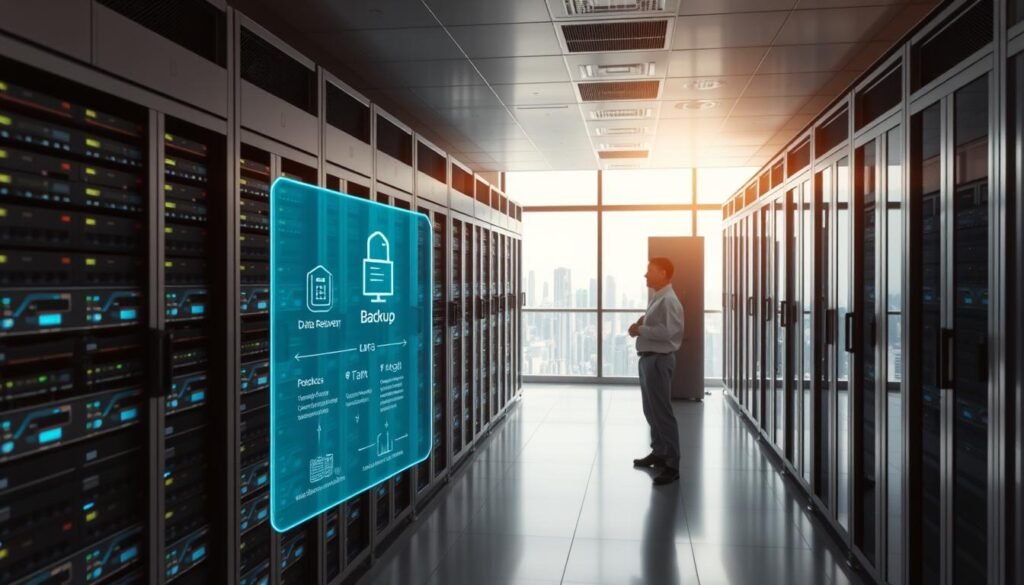
Creating a Data Recovery Plan
A data recovery plan shows how to act if you lose data or your system fails. It should cover backup schedules, how to recover data, and who does what. It’s important to test your backup and recovery steps often to make sure they work when you need them.
Conclusion: Building Your Personal Cybersecurity Framework
Cybersecurity is now a must, not a luxury, in our digital world. Knowing the threats and using the strategies from this article can boost your online safety. This helps protect your digital life.
To build a strong cybersecurity framework, you need a few key steps. Start with good password management and keep your devices secure. Also, protect your network and browse safely. These steps help defend against cyber threats and keep your information safe.
Keeping your cybersecurity strong is a never-ending job. You must always watch for new threats and update your defenses. By following the advice in this article, you can lower your risk of cyber attacks. This keeps your digital security and identity safe online.